

How do I update my contact details within the M&S Bank app?
If you use our app, you can update your contact details by following the below steps:
- Sign into the app, tap the menu button in the top right corner, then the profile icon.
- Select ‘Update personal details’ then select ‘Contact details’
- Select any missing or out of date details you need to update, click 'Edit' and follow the instructions on screen
- Next, press save and authenticate using your face, fingerprint or your Digital M&S PASS PIN
That's it! Your changes have now been made.
How do I update my contact details in Online Banking?
It's easy to update your contact details within Online Banking.
- Simply 'Sign in' to Online Banking
- Select 'Update your personal details' under 'Quick links'. Find the details you'd like to update and select 'Edit'
- Follow the instructions on the screen. You will need your M&S PASS to verify your changes
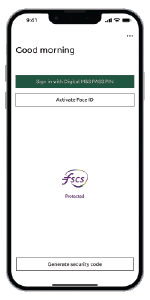
How to use your Digital M&S PASS (within the banking app)
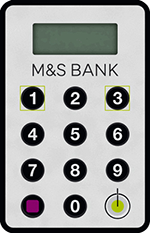
How to verify changes using a physical M&S PASS
Not yet registered for digital banking?
Find out how to download and set up the M&S Bank app.

How do I update my contact details over the phone?
If you or an additional cardholder need to update your contact details, get in touch using our contact us page.