Forgotten details
Reset your security details
If you've forgotten your username, password or M&S PASS PIN, here are the steps that you'll need to follow to reset your details and get yourself back online.
Need help getting back on the M&S Bank app or Online Banking?
Existing customers can use our handy Mobile and Online Banking access help tool
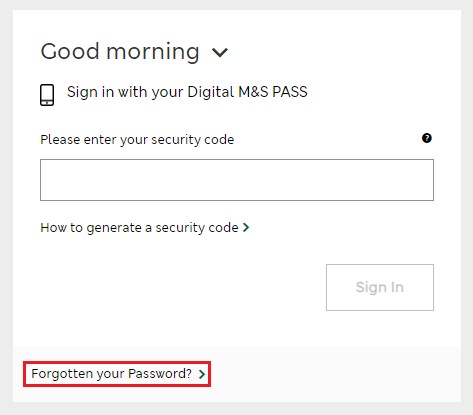
Forgotten your password?
- Go to Sign in to Online Banking
- Enter your username and select 'Continue'
- If a pop up screen appears, select 'Continue'
- Choose the 'Forgotten your password?' link and follow the instructions shown to reset your password
- Once completed you will be prompted to call our automated phone service to confirm this change
When calling the automated service you will need to confirm your identity. To do this you will need:
- Your credit card or Everyday Savings Account details
- Your Mobile phone
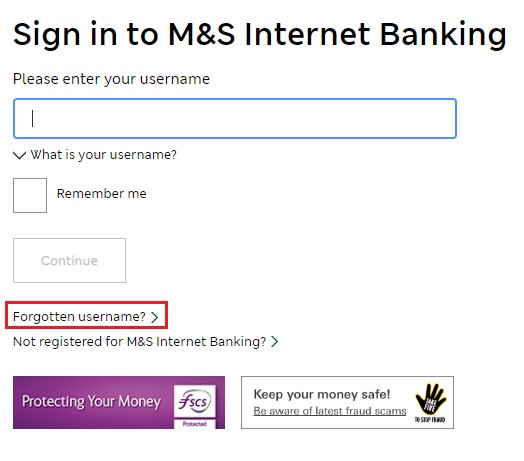
Forgotten your username?
- Go to Sign in to Online Banking
- Choose the ‘Forgotten username’ link below the ‘Continue’ button
- Follow the remaining instructions shown to recover your username.
If you have an M&S Credit Card you’ll be asked for your:
- Date of birth
- 16 digit credit card number
If you have an M&S Everyday Savings Account you’ll need your:
- Date of birth
- Account number and sort code
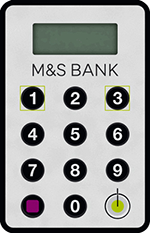
Forgotten your physical M&S PASS PIN
- Go to Sign in to Online Banking
- Enter your username and select ‘Continue’
- Select ‘Need help with your M&S PASS?’ underneath the ‘Sign in’ button
- Choose the ‘Forgotten your PIN?’ link and follow the remaining instructions shown on screen
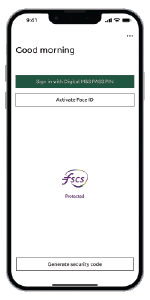
Forgotten your digital M&S PASS PIN
- Open the M&S Bank app and select the ‘Forgot your PIN?’ link
- Follow the remaining instructions shown within the app.
If you have any difficulty resetting your sign-in details or M&S PASS PIN, visit our contact us page for details on how to get in touch.
Sign in to Online Banking
If you are an existing Online Banking customer simply sign in and follow the relevant instructions above to reset your details.